Back to guides
Change appointment prices
- 1
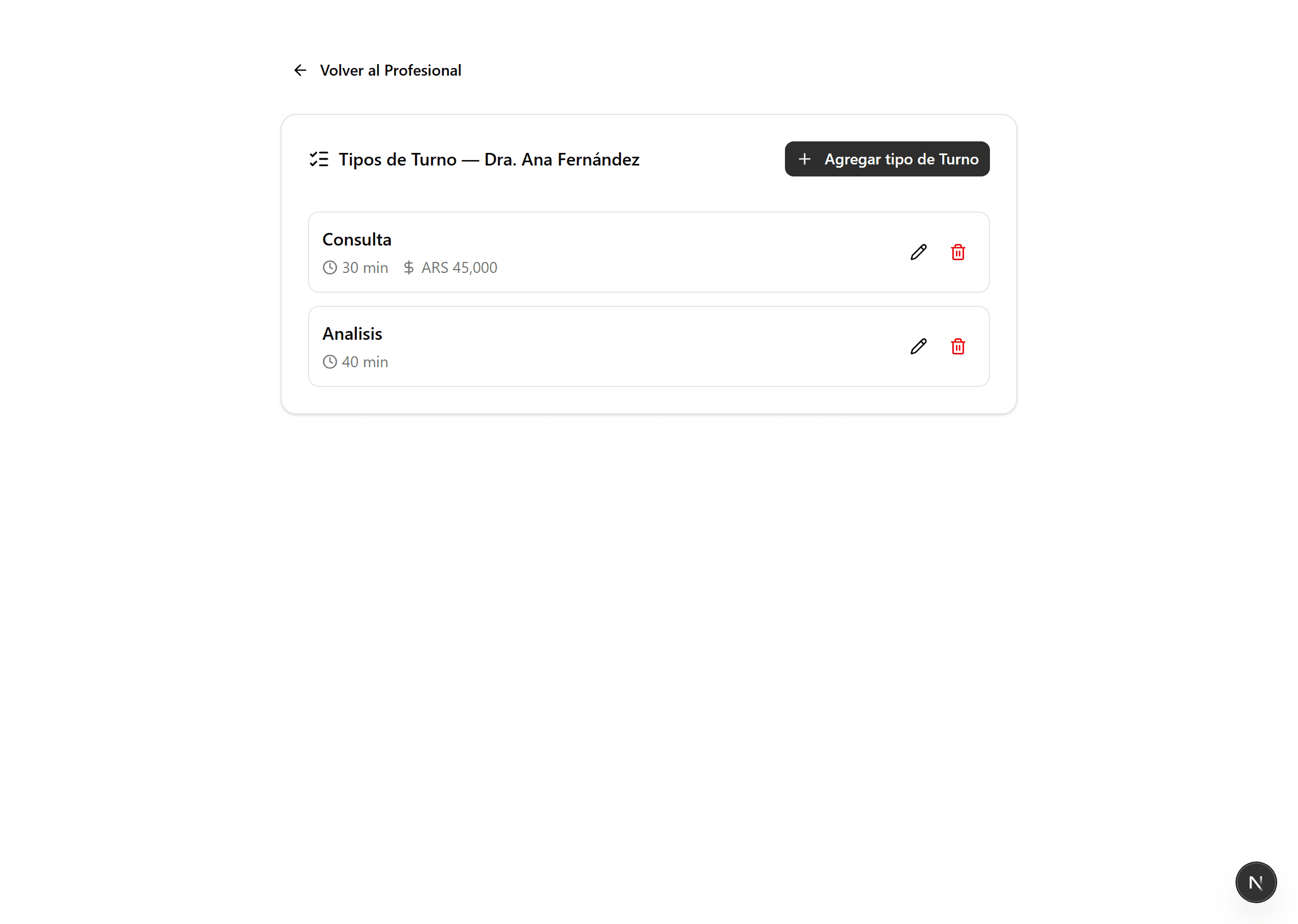
Open the professional's «Appointment Types»
In «Professionals», on the professional's card, click «Appointment Types». The price is set per appointment type (First visit, Consultation, etc.).
- 2
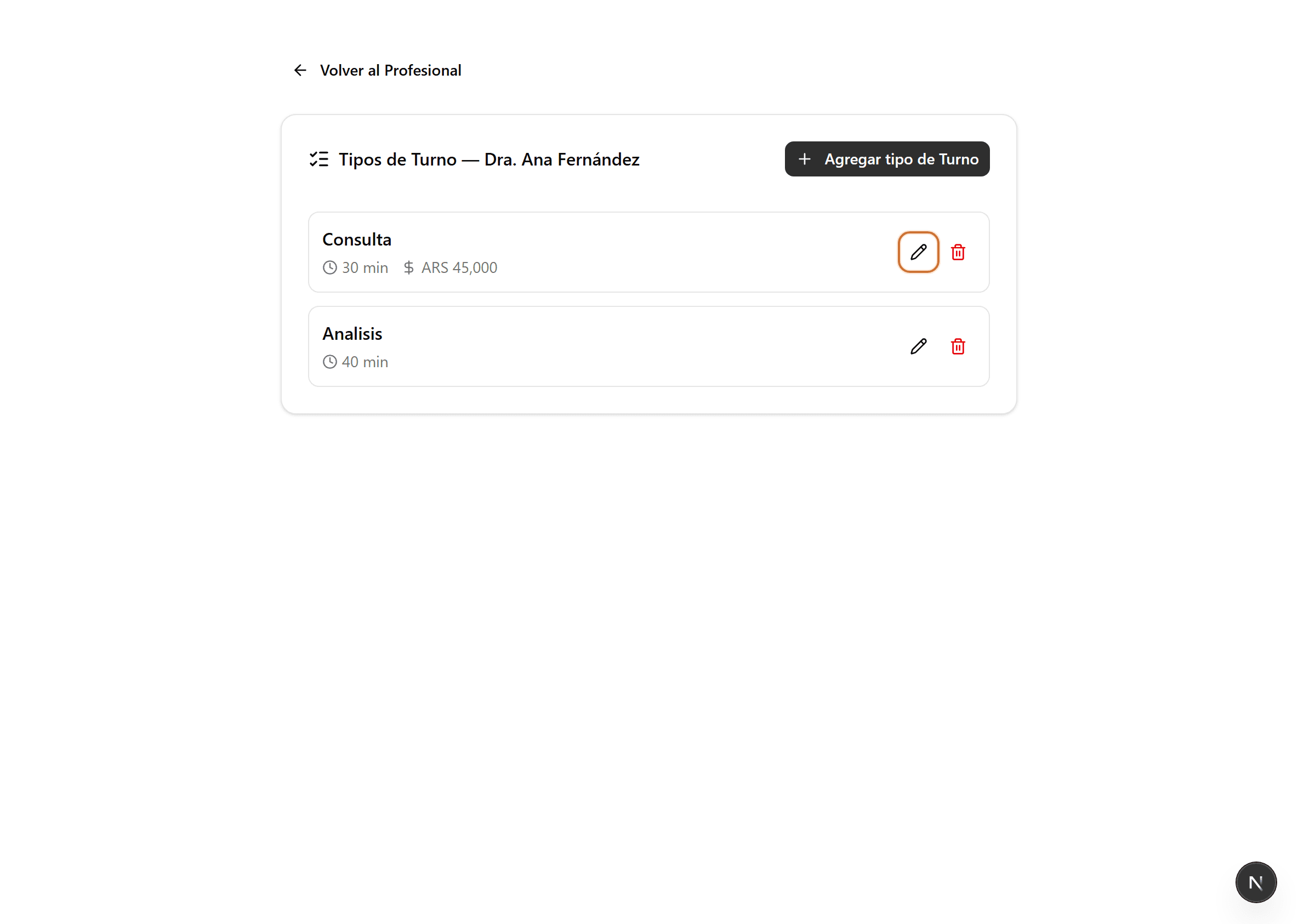
Edit the appointment type
Click the pencil icon on the type whose price you want to change. That type's form opens.
- 3
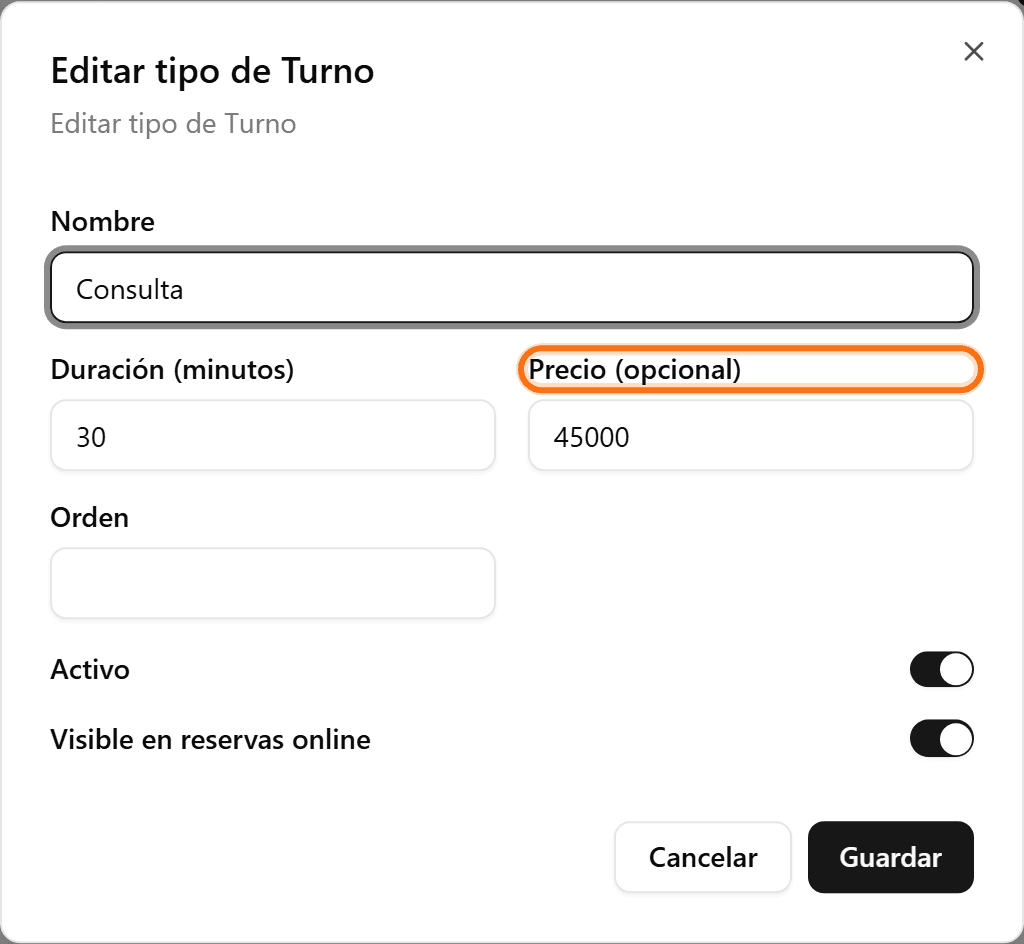
Enter the price and save
In «Price (optional)», type the self-pay value and click «Save». If the clinic works with insurance, the price stays hidden in public booking.