Back to guides
Change the booking page notice
- 1
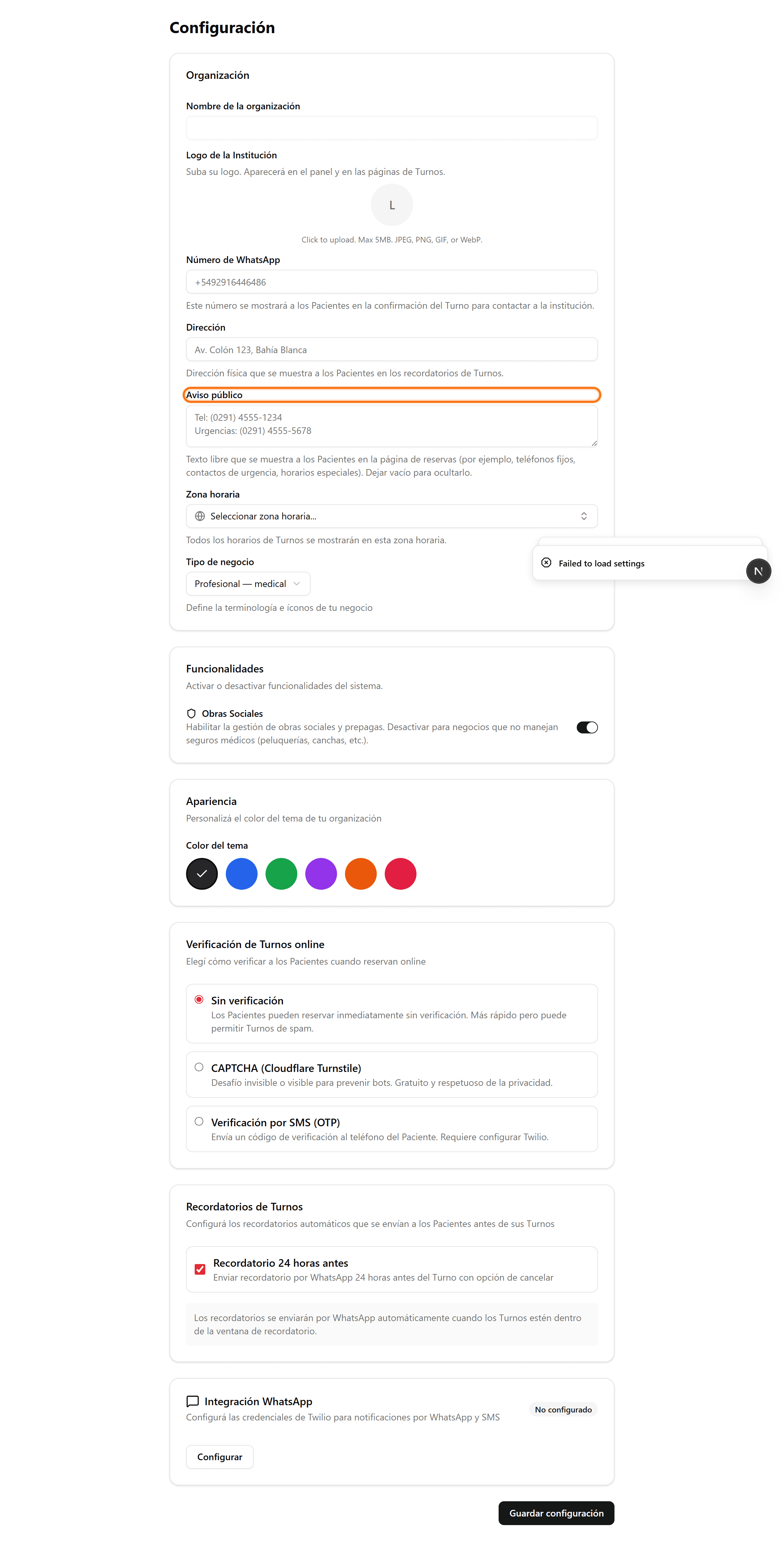
Org-wide notice: open «Settings»
In the side menu, click «Settings». In the «Organization» card you'll find the «Public notice» field.
- 2
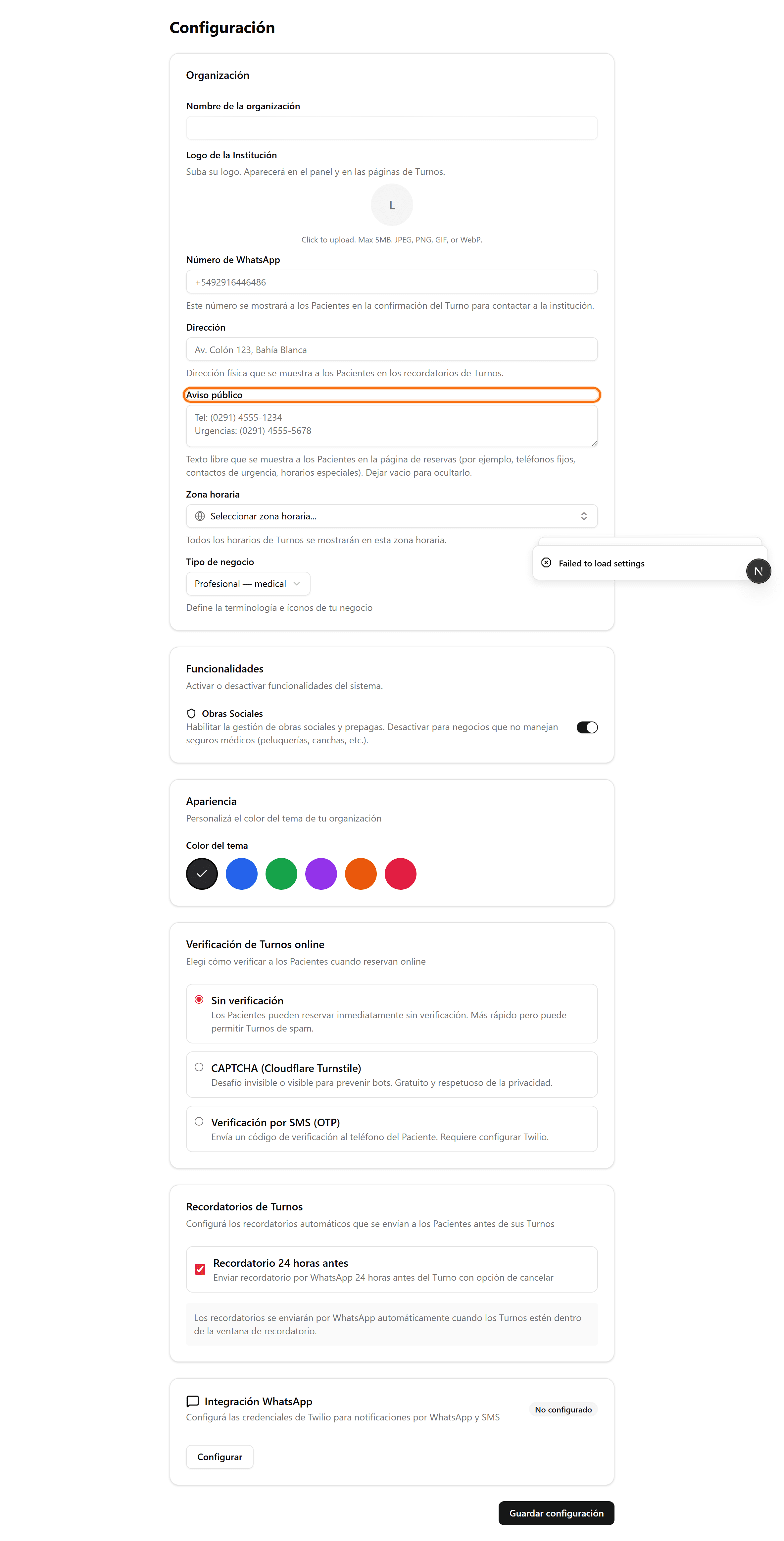
Write the notice and save
In «Public notice» type the text (phone numbers, emergencies, special hours) and click «Save settings». If you leave it empty, it isn't shown.
- 3
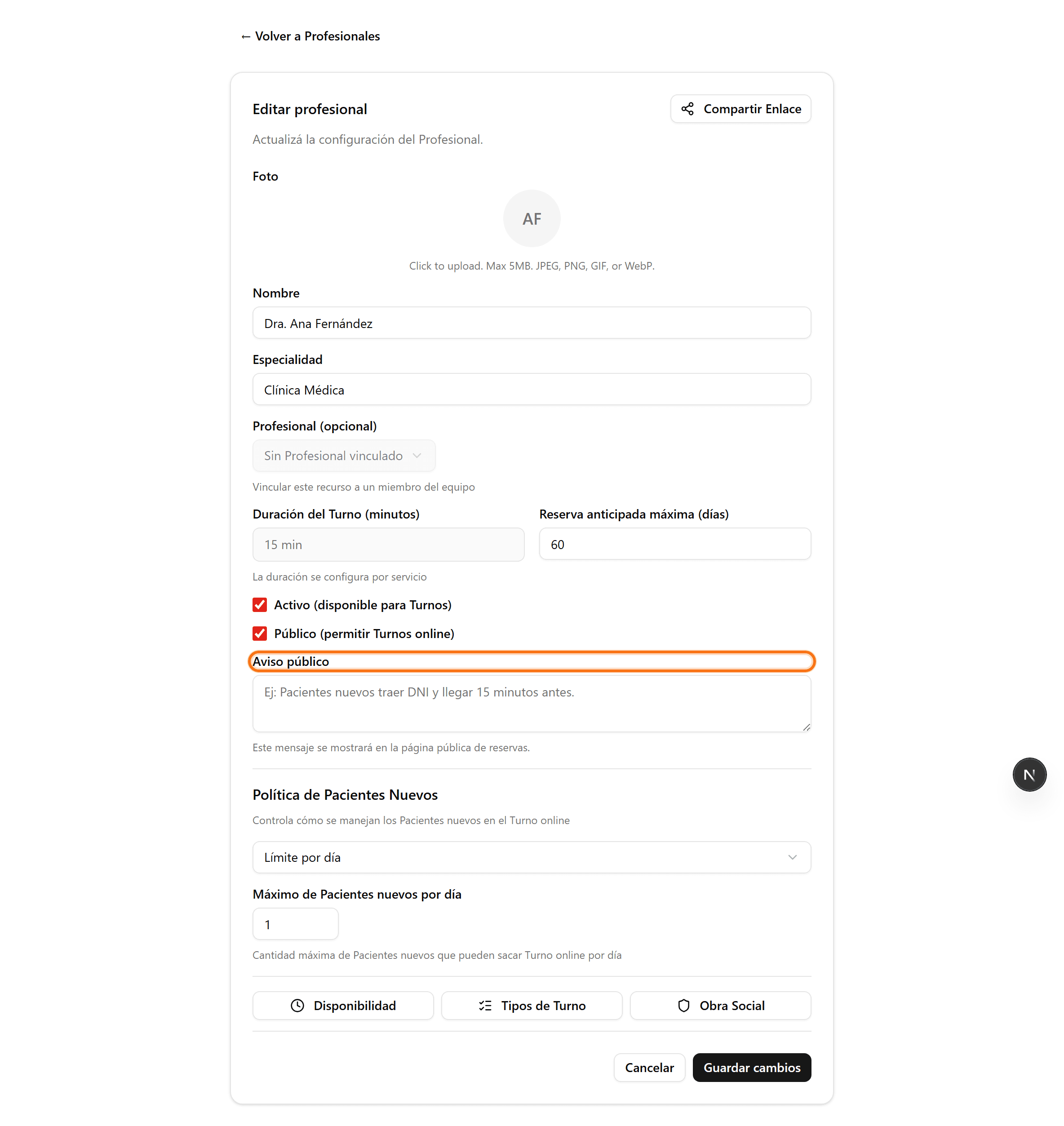
A professional's notice: open it for editing
In «Professionals», click the professional's pencil. The «Public notice» field appears when the professional is marked «Public».
- 4
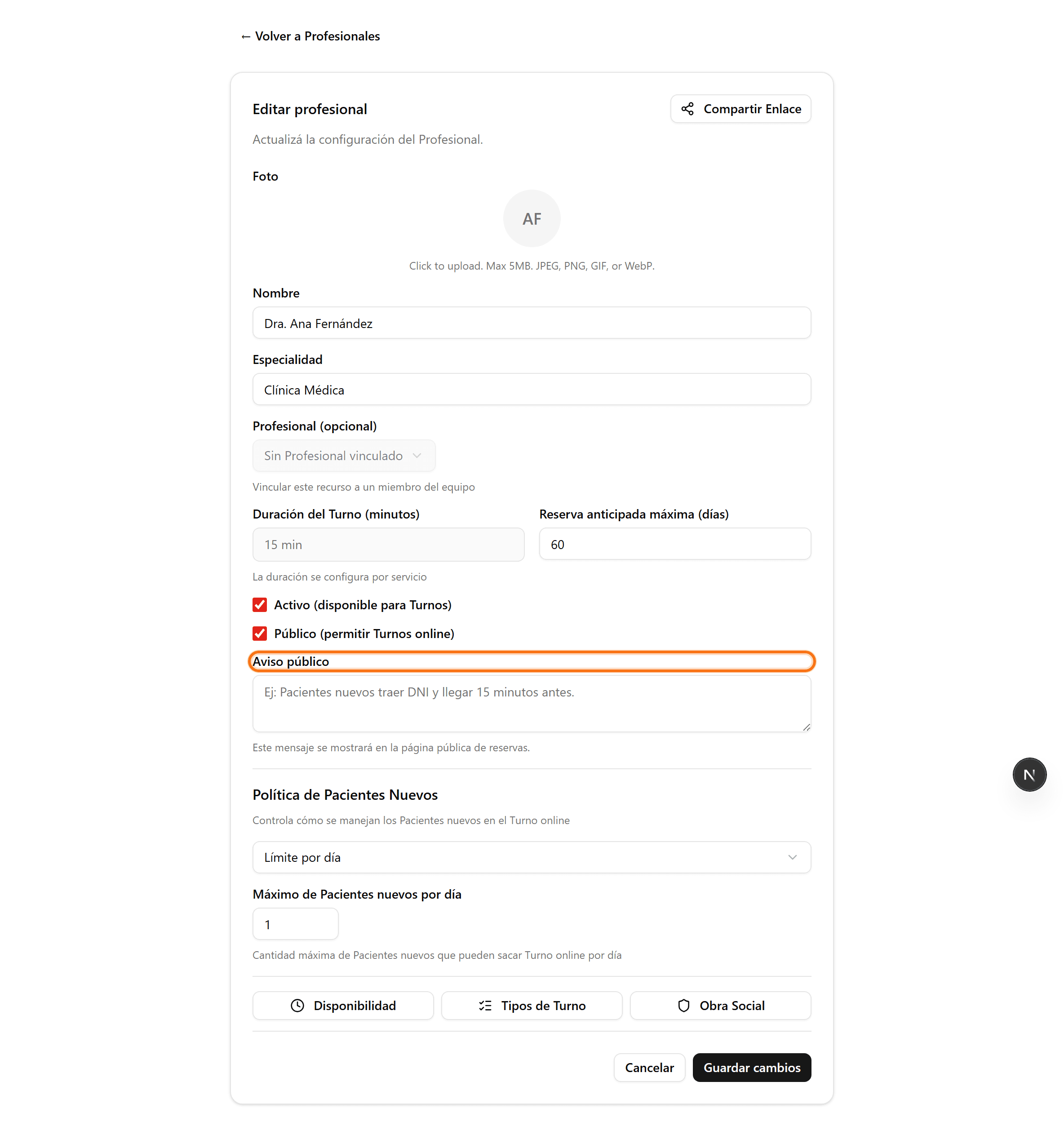
Write the professional's notice and save
Enter the message (for example «New patients bring ID and arrive 15 minutes early») and click «Save changes». It shows on that professional's public page.