Volver a las guías
Crear o modificar obras sociales
- 1
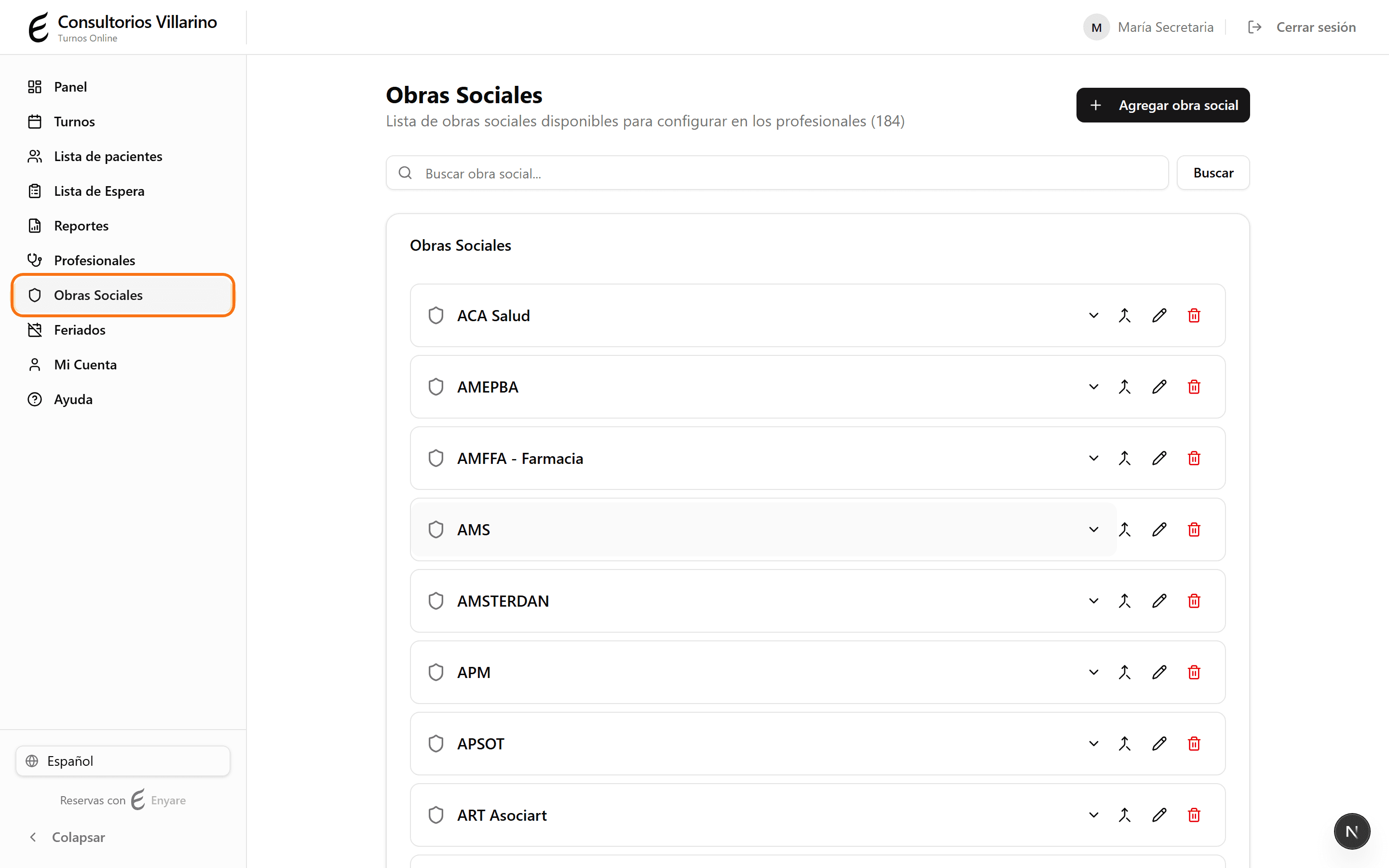
Abrí «Obras Sociales»
En el menú lateral, hacé clic en «Obras Sociales». Vas a ver la lista de obras sociales cargadas, con un buscador arriba.
- 2
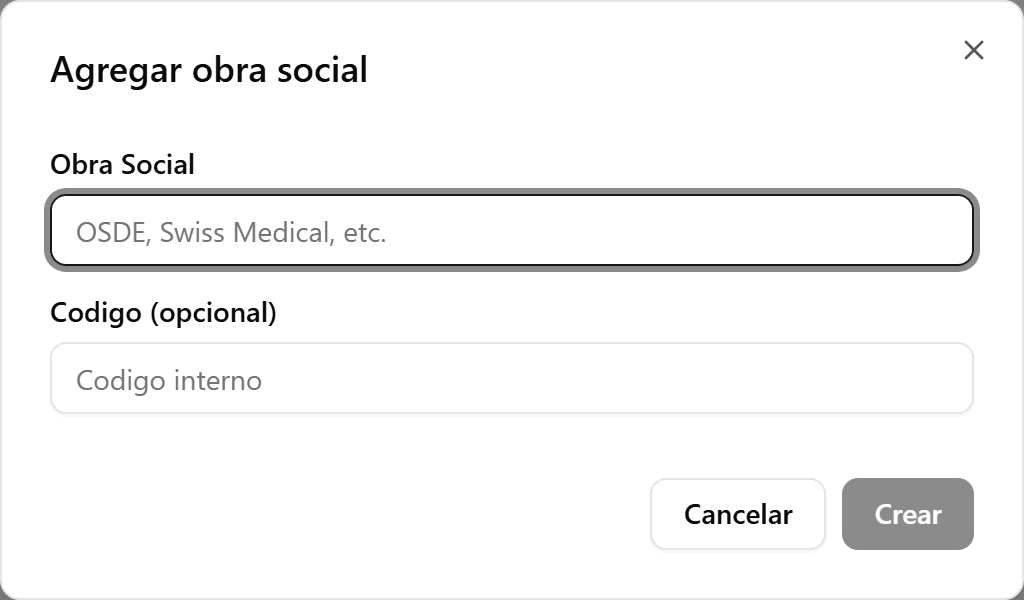
Agregá una obra social
Hacé clic en «Agregar obra social». Cargá el nombre (por ejemplo OSDE, Swiss Medical) y, si querés, un código interno. Hacé clic en «Crear».
- 3
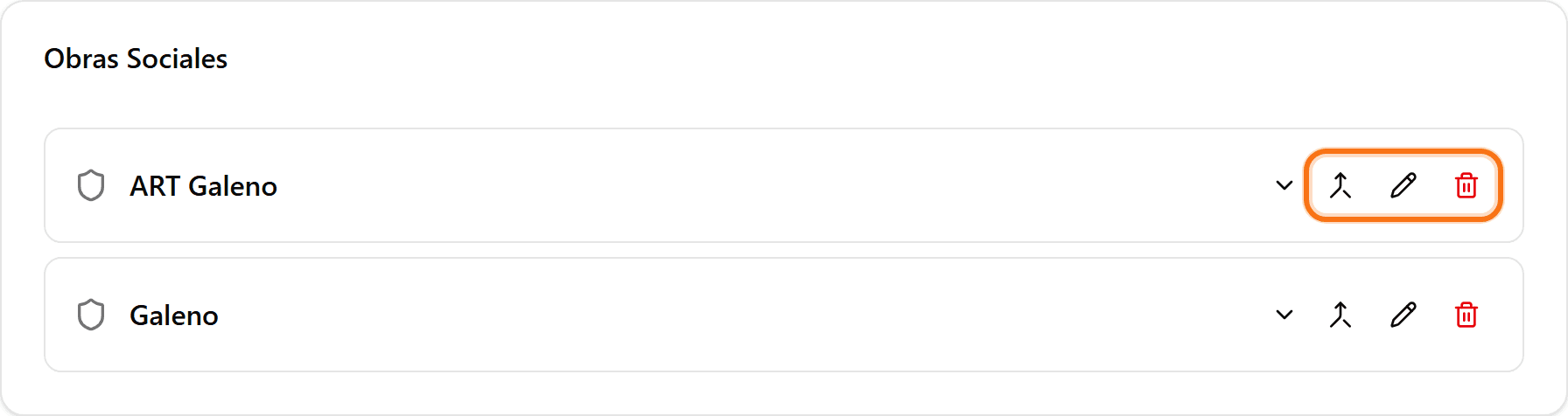
Editá o eliminá una obra social
Usá el ícono del lápiz para cambiar el nombre o el código, y el de la papelera para desactivarla. También podés fusionar dos obras sociales repetidas en una sola con el ícono de fusión.
- 4
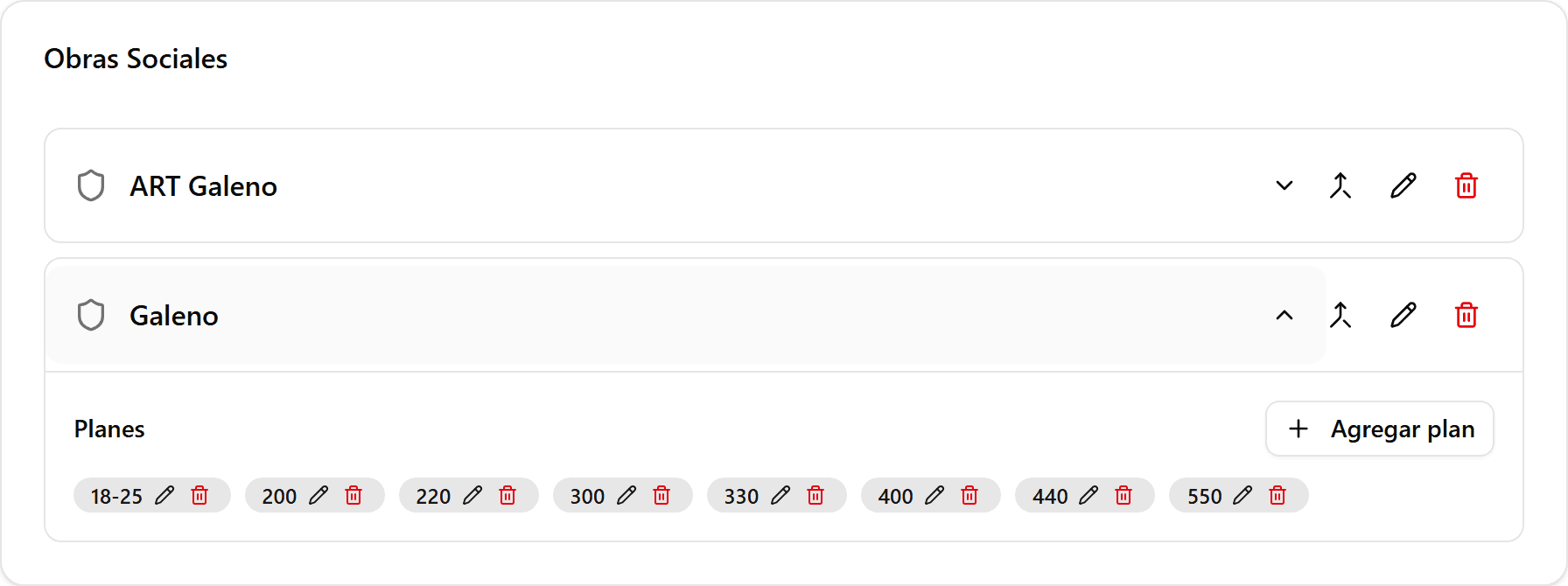
Agregá planes a una obra social
Hacé clic en la obra social para desplegarla y usá «Agregar plan» para cargar sus planes (por ejemplo 210, 310, Plata, Oro). Cada plan se puede editar o eliminar por separado.