Volver a las guías
Obtener los enlaces y códigos QR para reservar
- 1
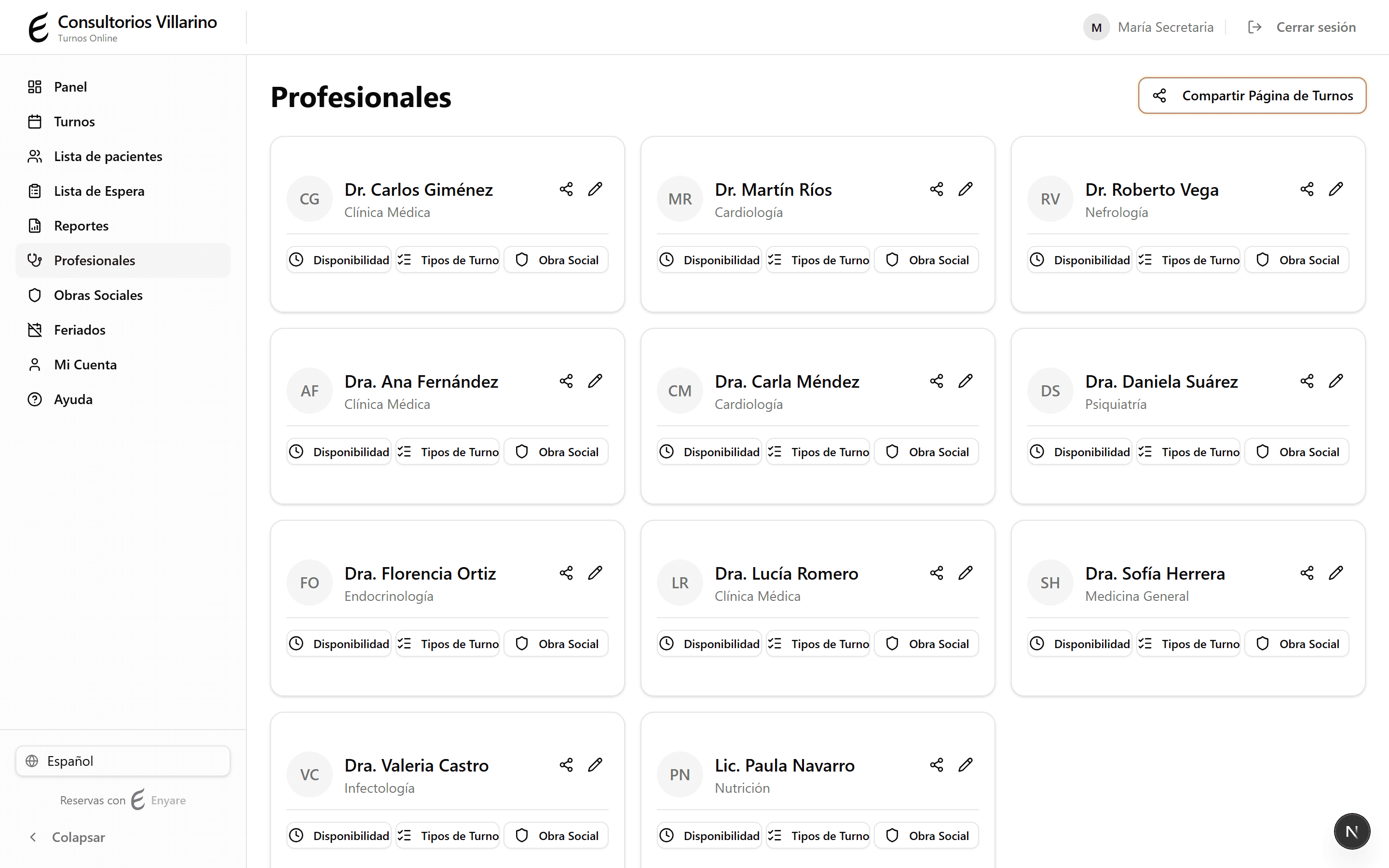
Enlace de la institución: abrí «Profesionales»
En «Profesionales», arriba a la derecha, hacé clic en «Compartir Página de Turnos». Es el enlace de toda la institución (lista todos los profesionales).
- 2
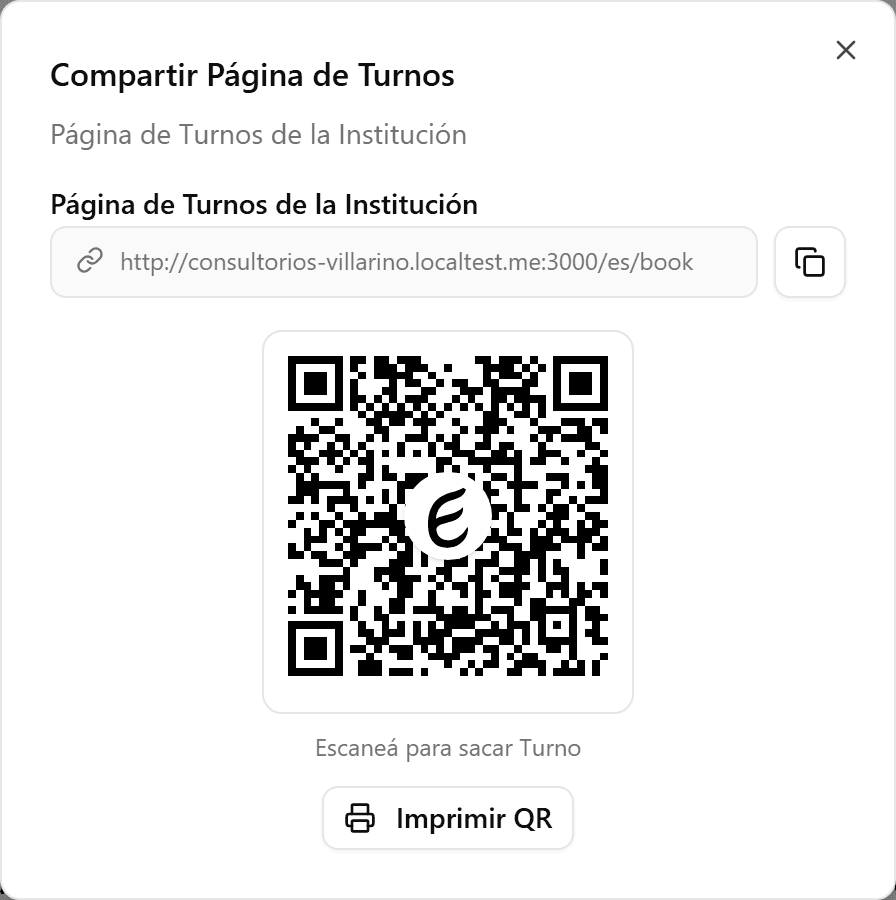
Copiá el enlace o imprimí el QR
En el diálogo, hacé clic en copiar para llevarte el enlace, o en «Imprimir QR» para imprimir el código QR que los pacientes escanean para sacar turno.
- 3
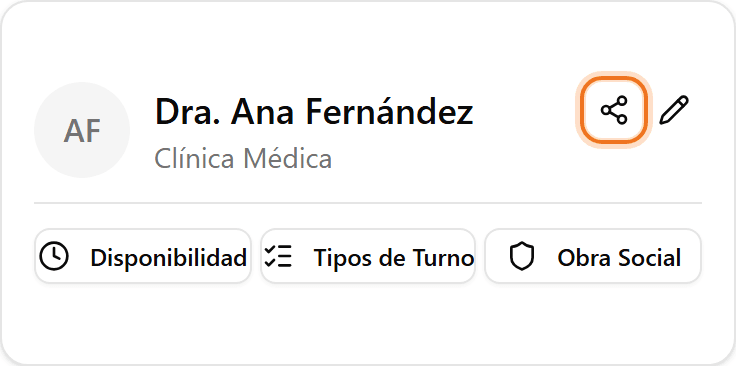
Enlace de un profesional
Para el enlace de un solo profesional, hacé clic en el ícono de compartir de su tarjeta (o el botón «Compartir Enlace» dentro de su edición). El profesional debe estar activo y público.
- 4
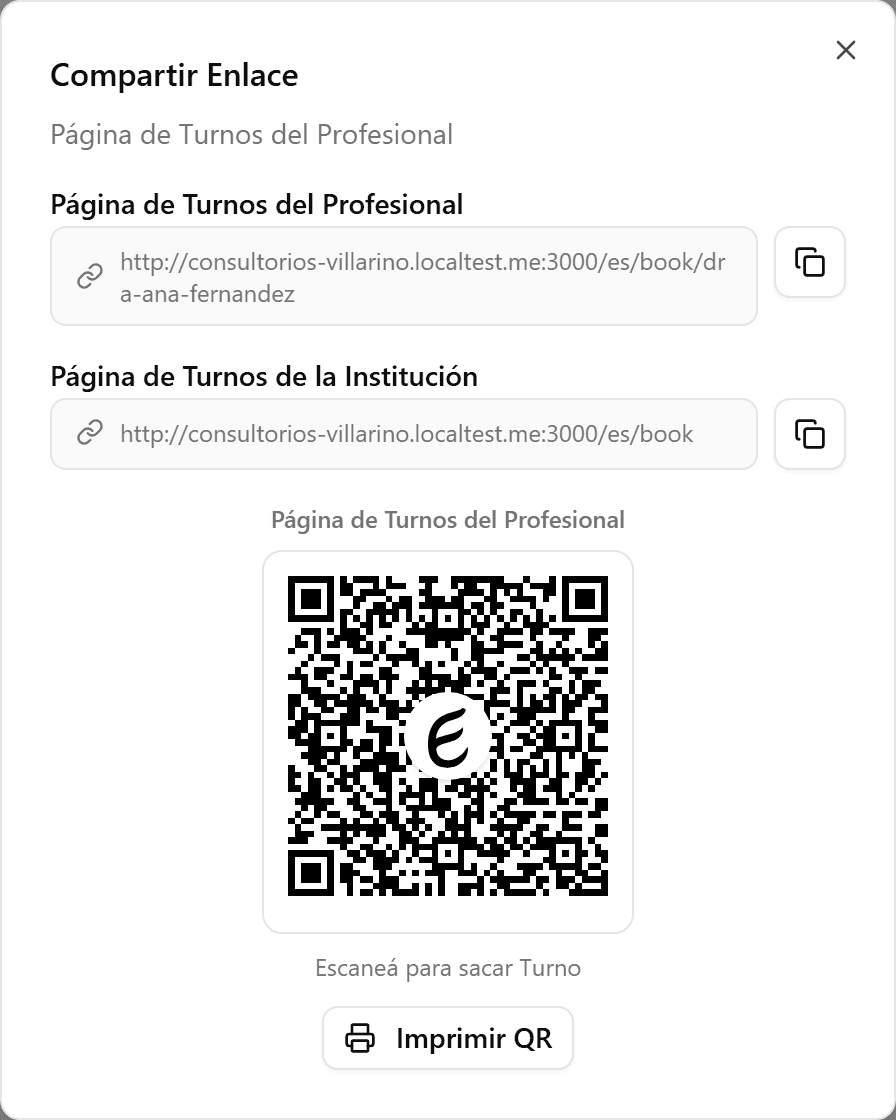
Compartí el QR o el enlace
El diálogo del profesional muestra su propio enlace y QR, además del enlace de la institución. Copialo o imprimí el QR para pegarlo en el consultorio o enviarlo por WhatsApp.