Volver a las guías
Modificar el precio de los turnos
- 1
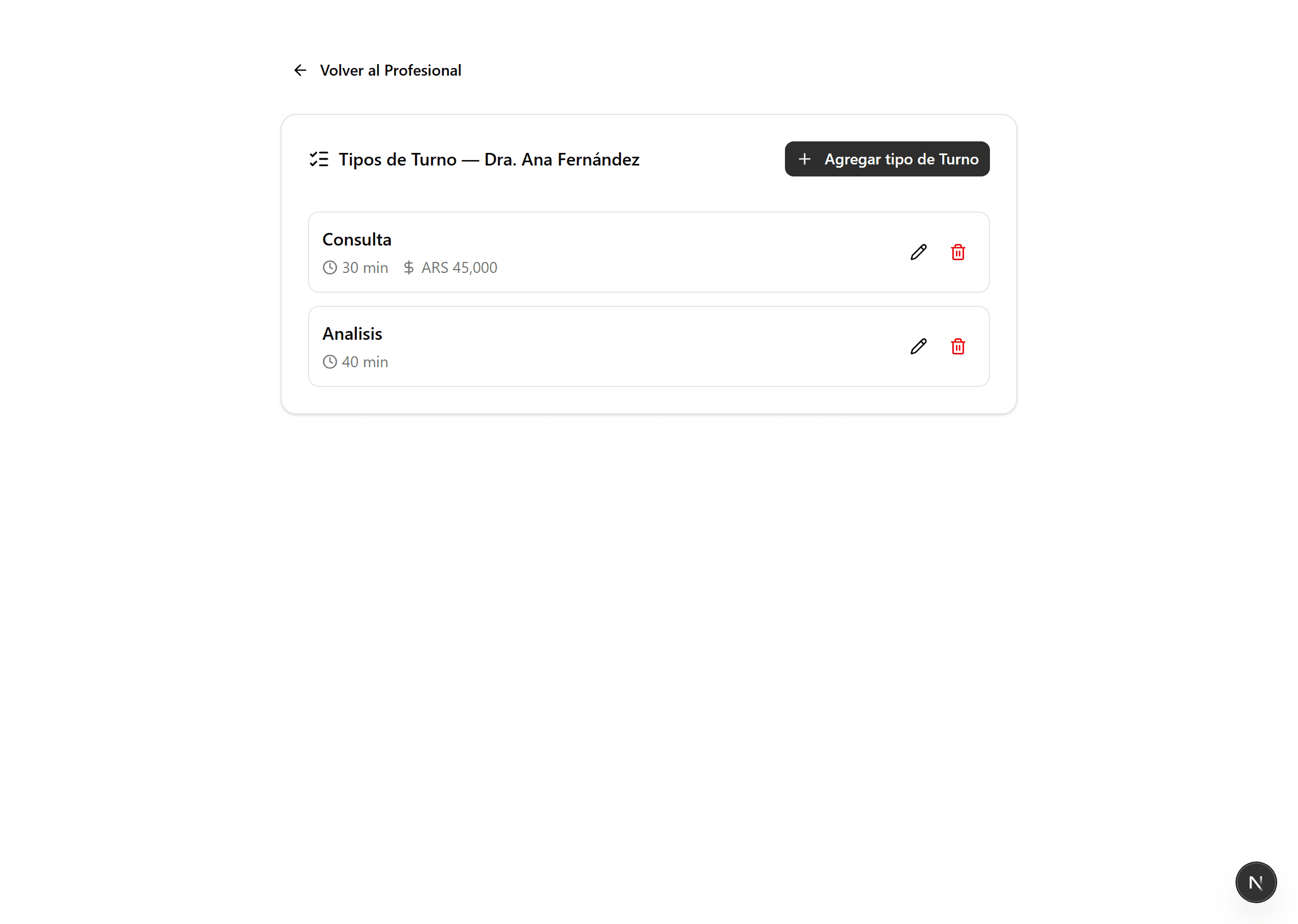
Abrí «Tipos de Turno» del profesional
En «Profesionales», en la tarjeta del profesional, hacé clic en «Tipos de Turno». El precio se carga por tipo de turno (Primera vez, Consulta, etc.).
- 2
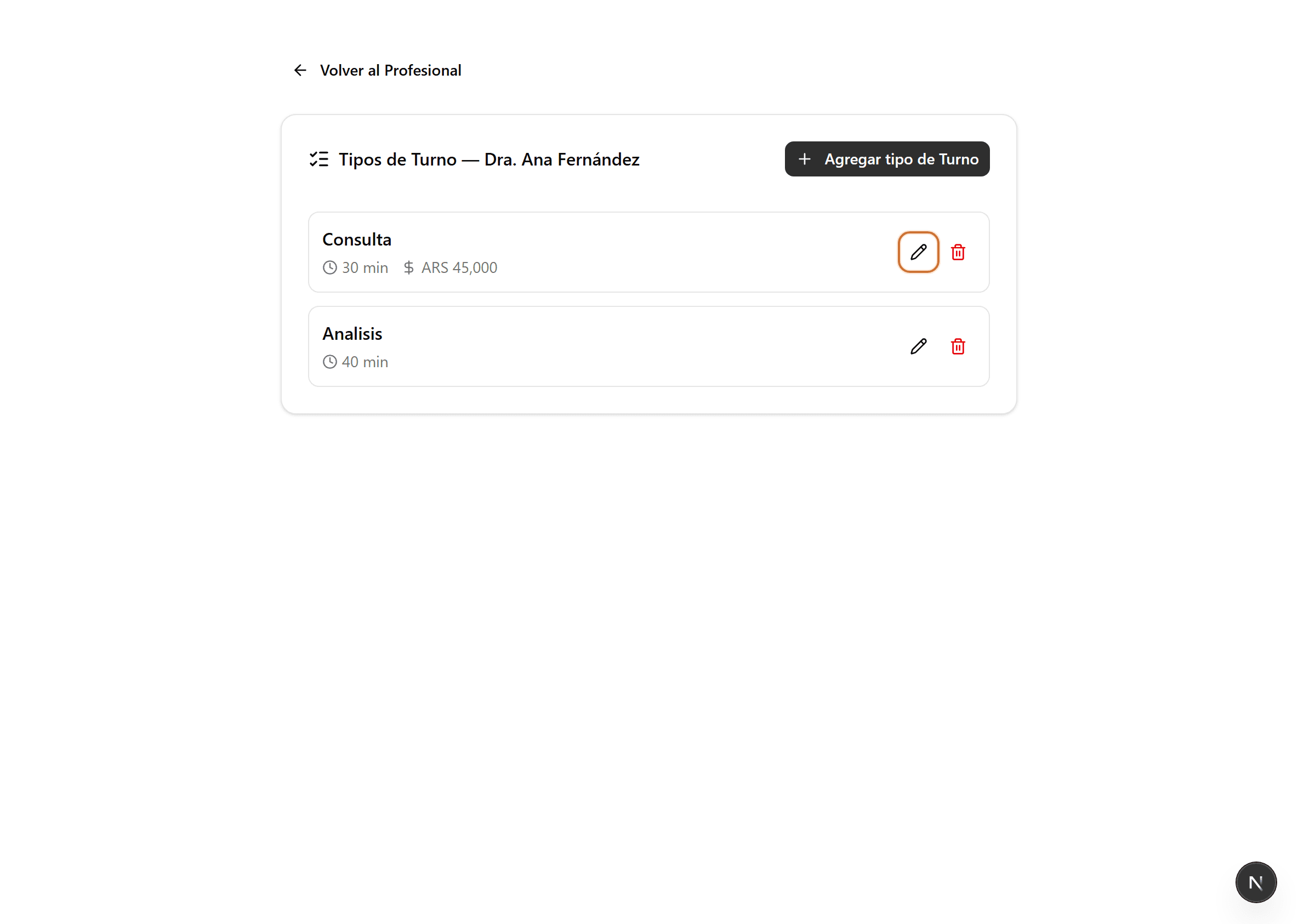
Editá el tipo de turno
Hacé clic en el ícono del lápiz del tipo de turno cuyo precio querés cambiar. Se abre el formulario de ese tipo de turno.
- 3
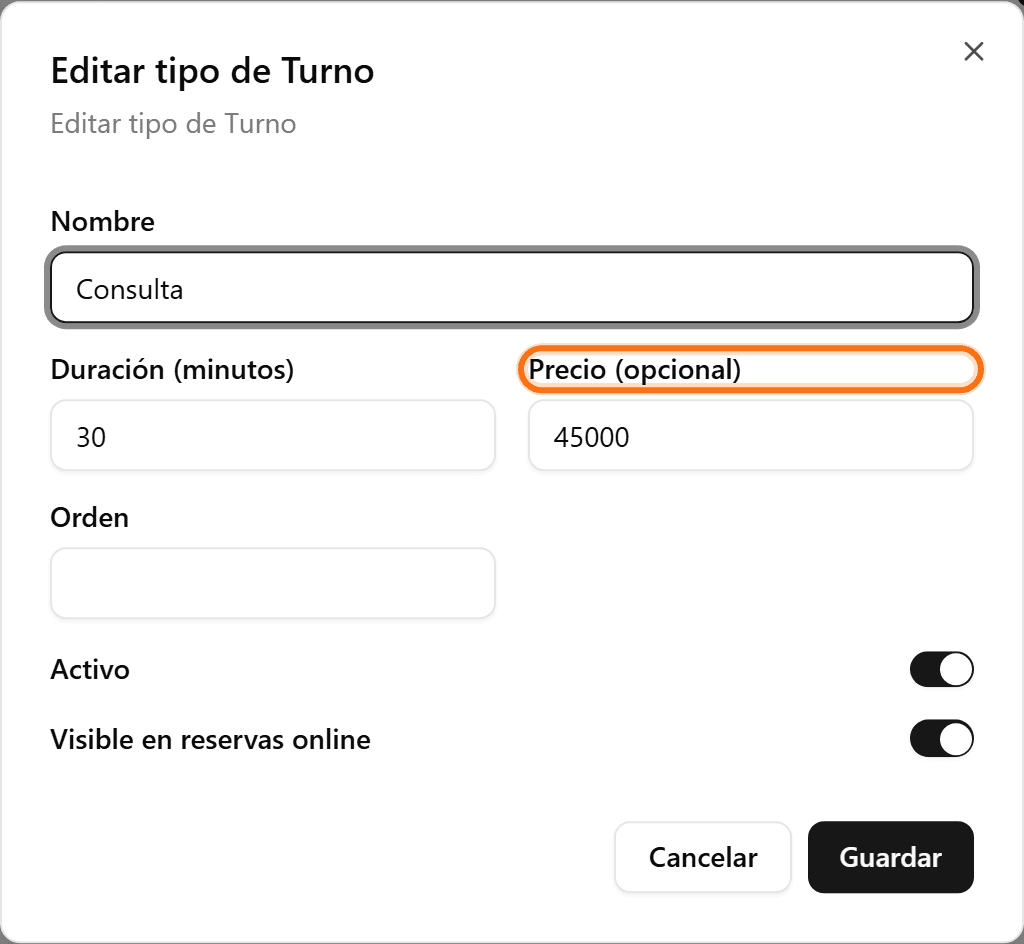
Cargá el precio y guardá
En «Precio (opcional)», escribí el valor particular y hacé clic en «Guardar». Si la clínica trabaja con obras sociales, el precio queda oculto en la reserva pública.