Volver a las guías
Feriados de la organización
- 1
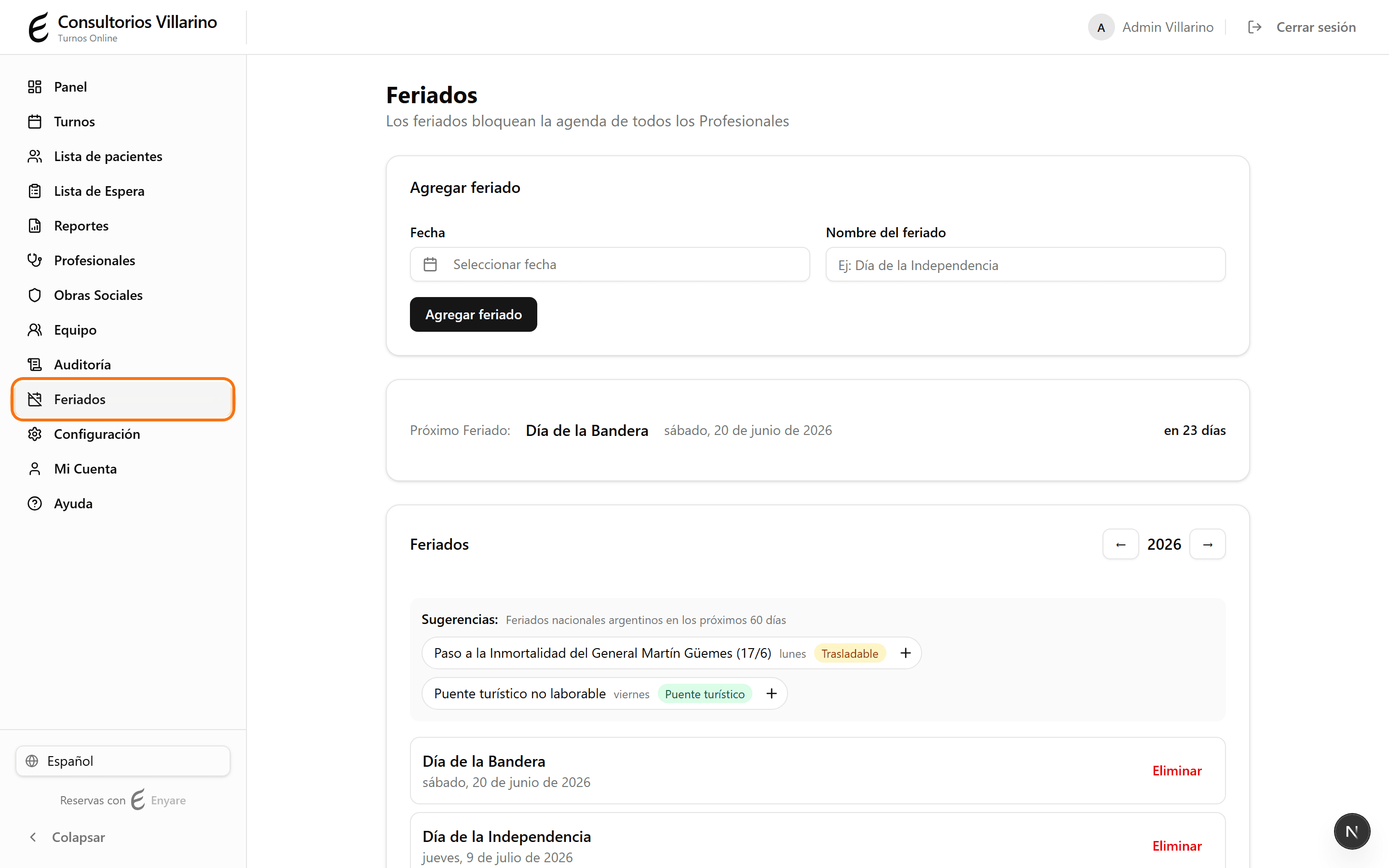
Abrí «Feriados» en el menú lateral
En el menú lateral, hacé clic en «Feriados». Los feriados que cargues acá bloquean la agenda de todos los profesionales ese día.
- 2
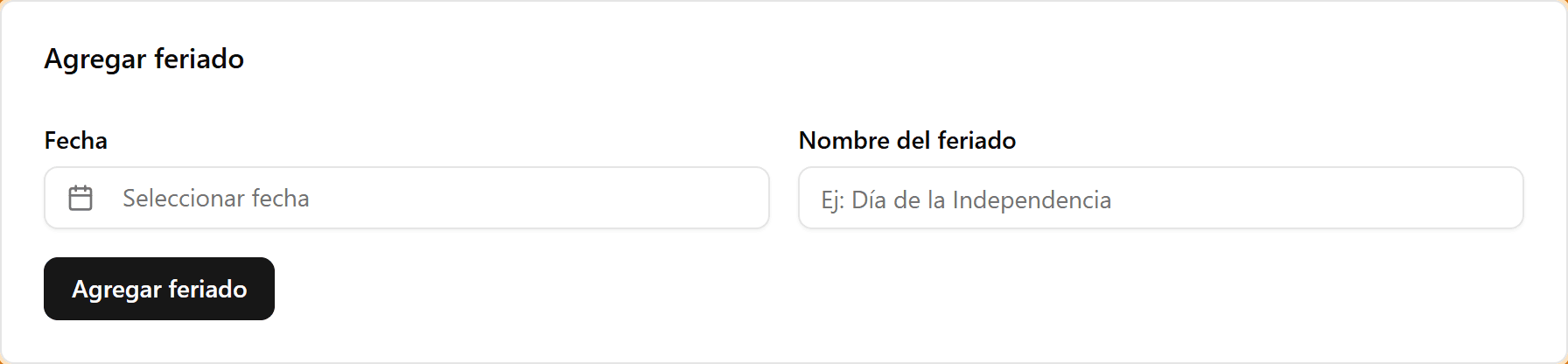
Agregá un feriado
En «Agregar feriado», elegí la fecha y escribí el nombre (por ejemplo, «Día de la Independencia»). Hacé clic en «Agregar feriado» y queda cargado.
- 3
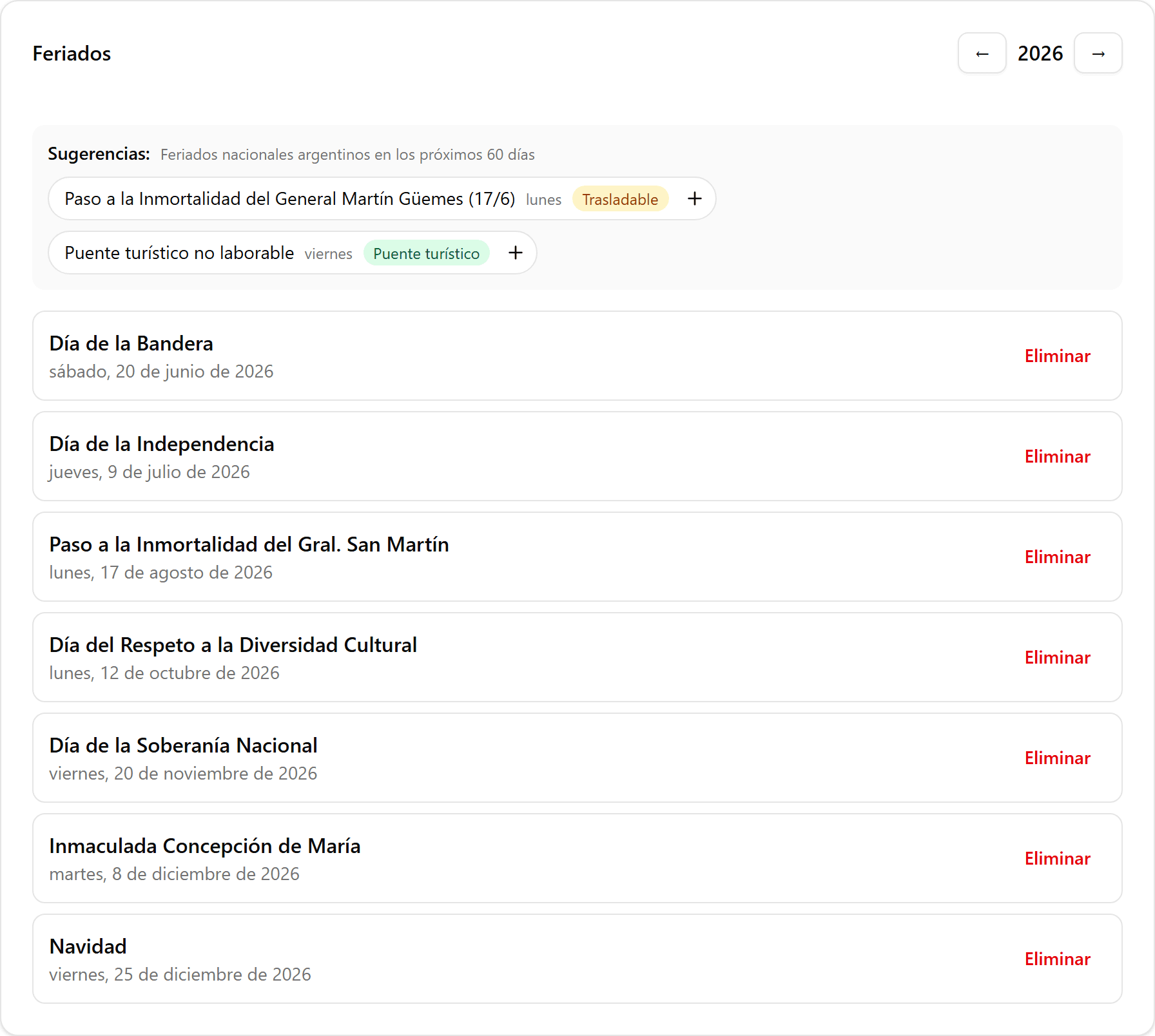
Usá las sugerencias o eliminá un feriado
En «Sugerencias» aparecen los feriados nacionales de los próximos 60 días: tocá el «+» para agregarlos con un clic. Más abajo se listan los feriados del año (usá las flechas para cambiar de año) y podés quitar cualquiera con «Eliminar».