
Volver a las guías
Información sobre un turno
Ver el video
- 1
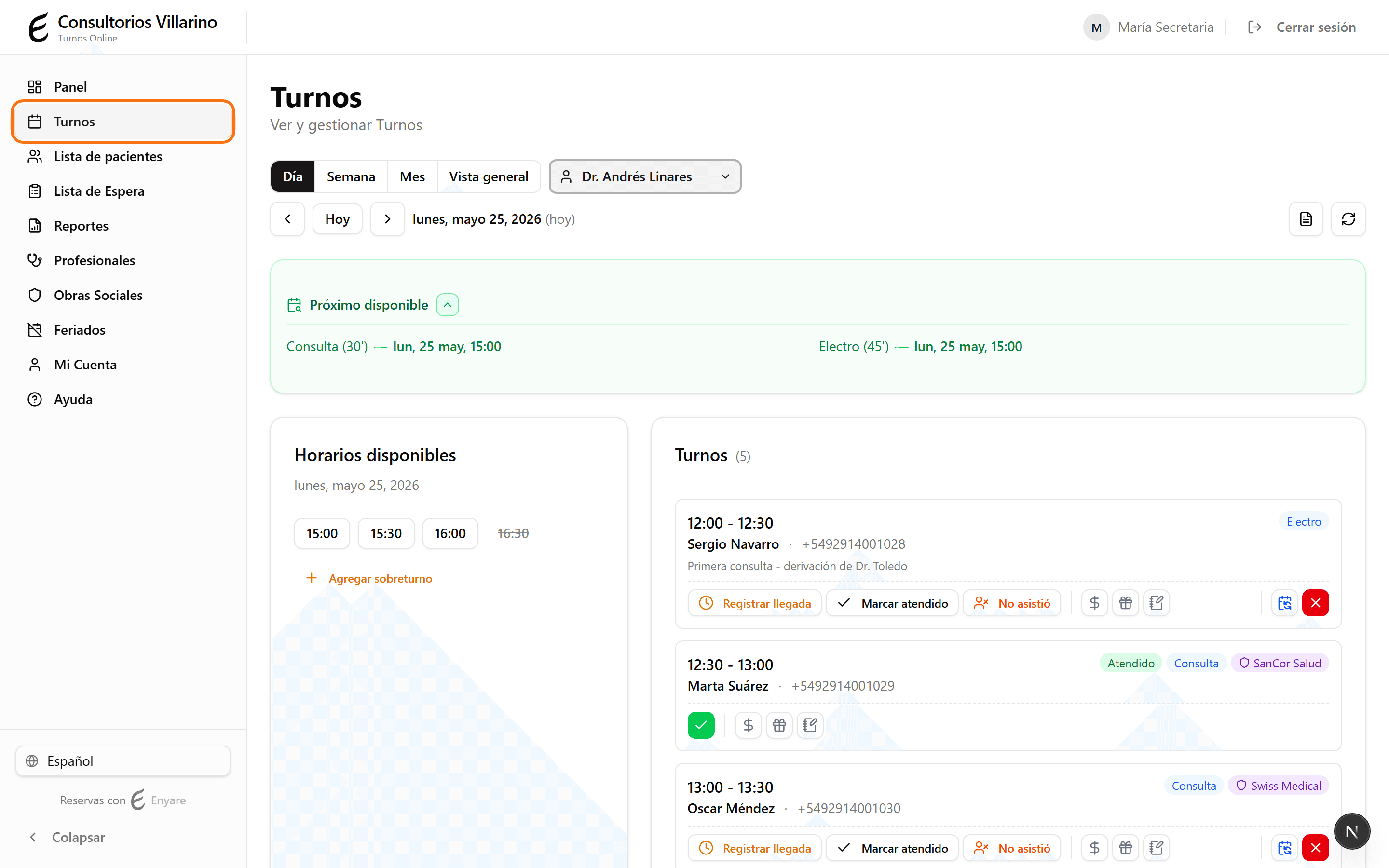
Abrí la agenda de Turnos
En el menú lateral, hacé clic en «Turnos» para ver la agenda del día.
- 2
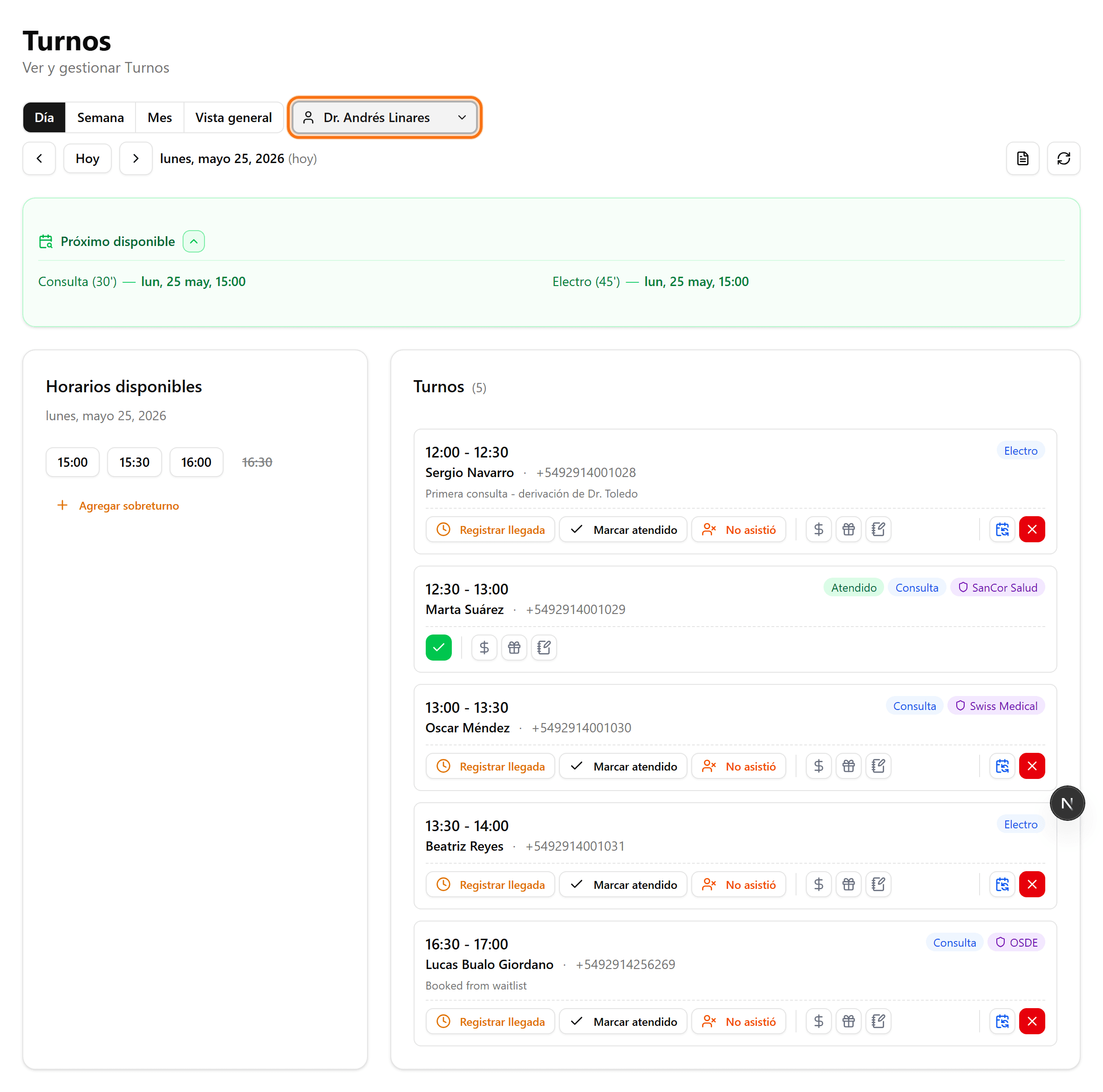
Elegí el día y el profesional
Usá «Hoy» o las flechas para cambiar de día, y el selector de profesional para filtrar. Ubicá el turno en la lista de la derecha por hora y paciente.
- 3
Obra social y si es primera vez
En la tarjeta del turno se ve la obra social y la etiqueta «1ra vez» para médicos con restricciones de primera consulta.

- 4
Paciente en sala de espera
La secretaria marca al paciente como presente; el turno pasa a «En espera».

- 5
Estado del pago
Registrá el pago desde la misma tarjeta. El médico puede marcar el turno como atendido para el seguimiento.
